Workflow blueprints · SOP packs · process maps
Draw the routine once. Hand it to the whole team.
Brintex Workflow Suite Plus sells downloadable workflow diagrams, written procedures and mapping canvases. Print them, edit them, keep them. Each is a one-time purchase.

16 documents
from $9.99 one-time
The product table
Every blueprint, pack and map in one table
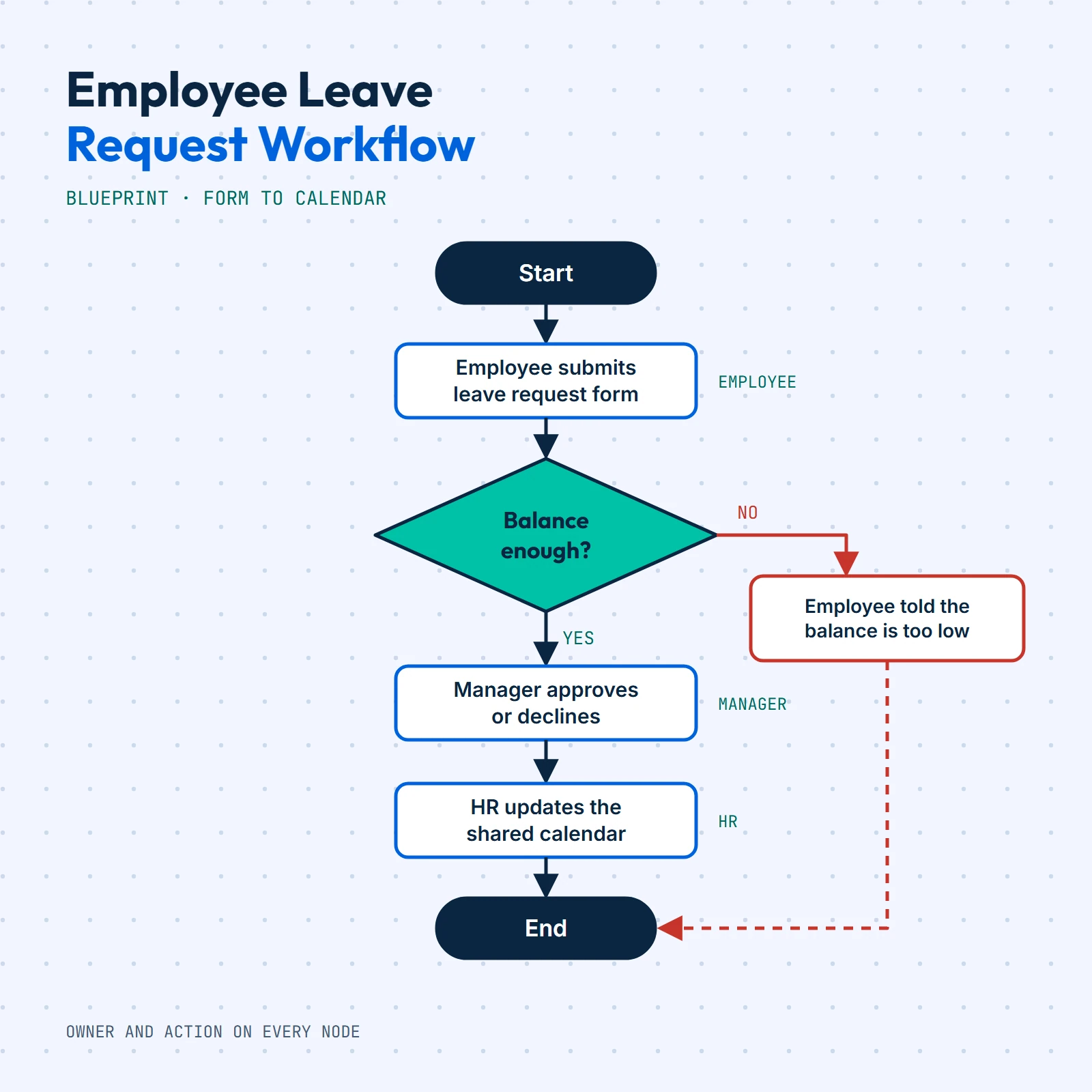
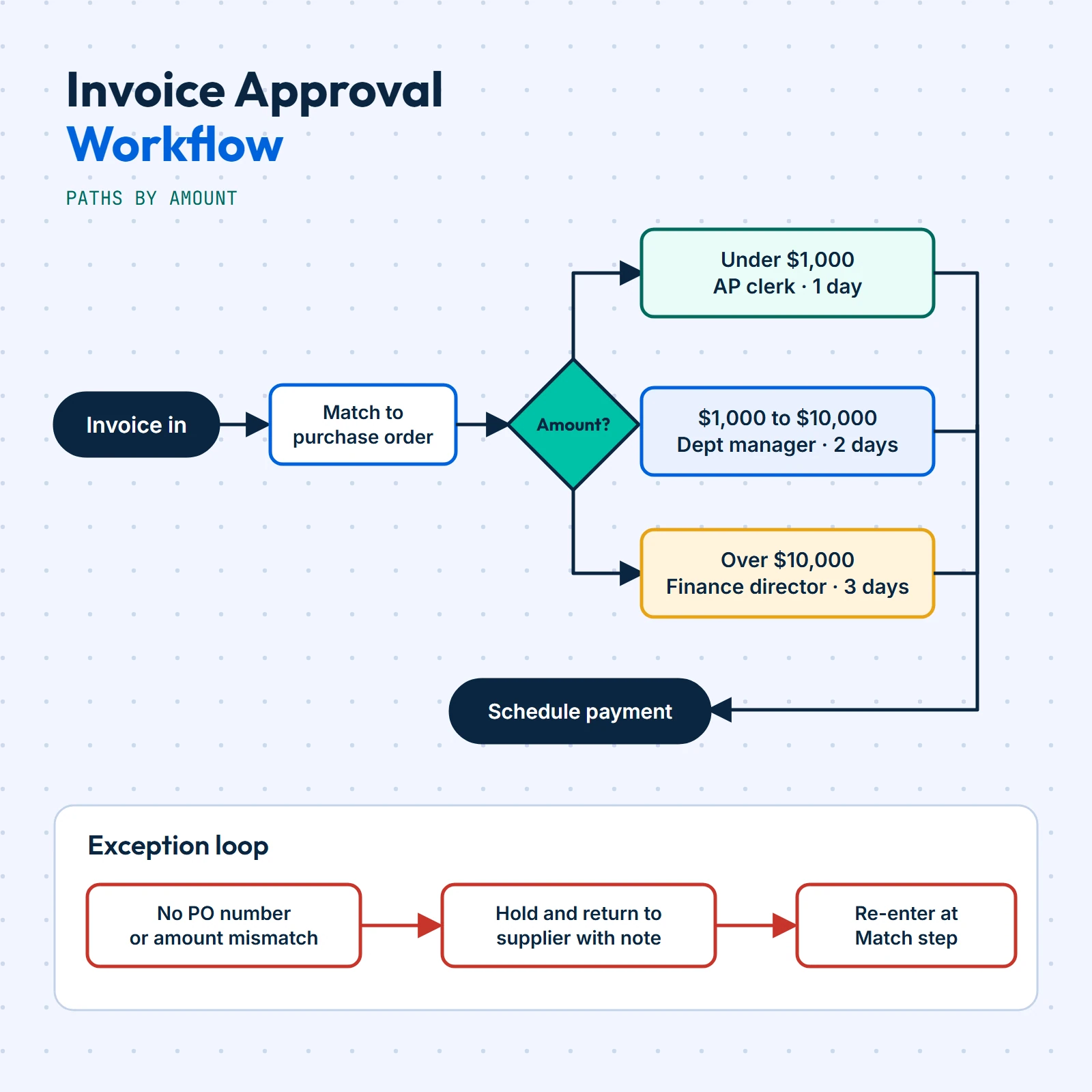
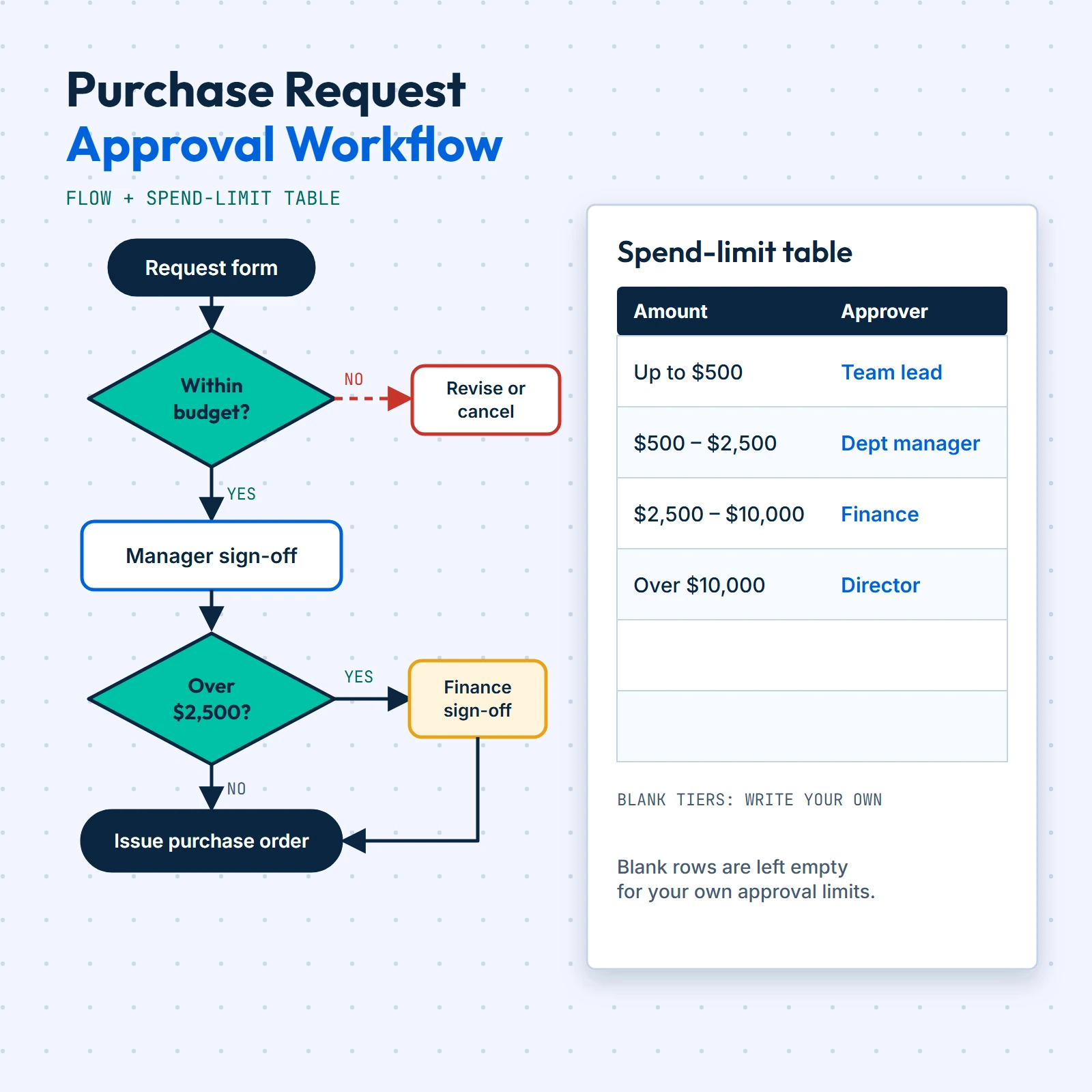
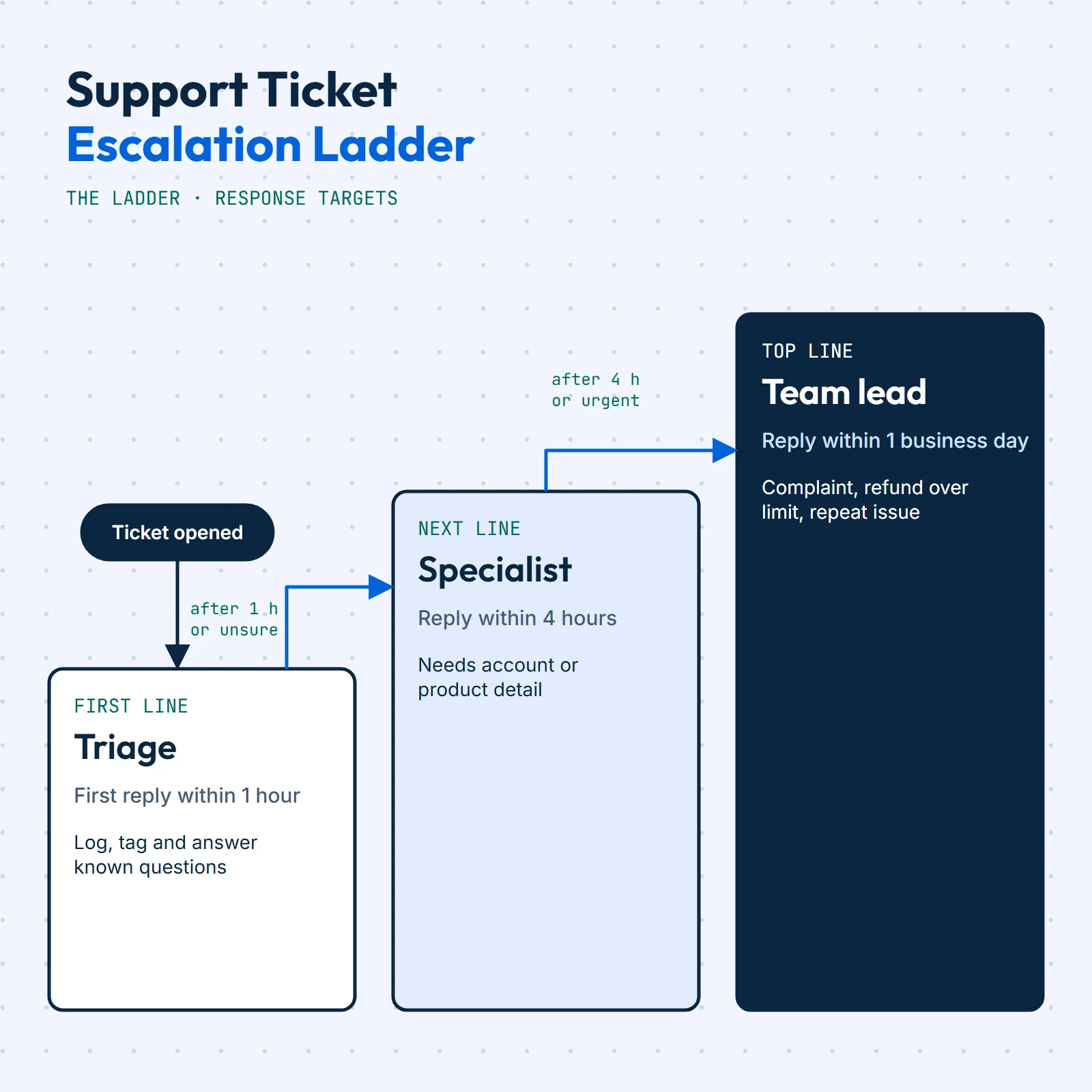
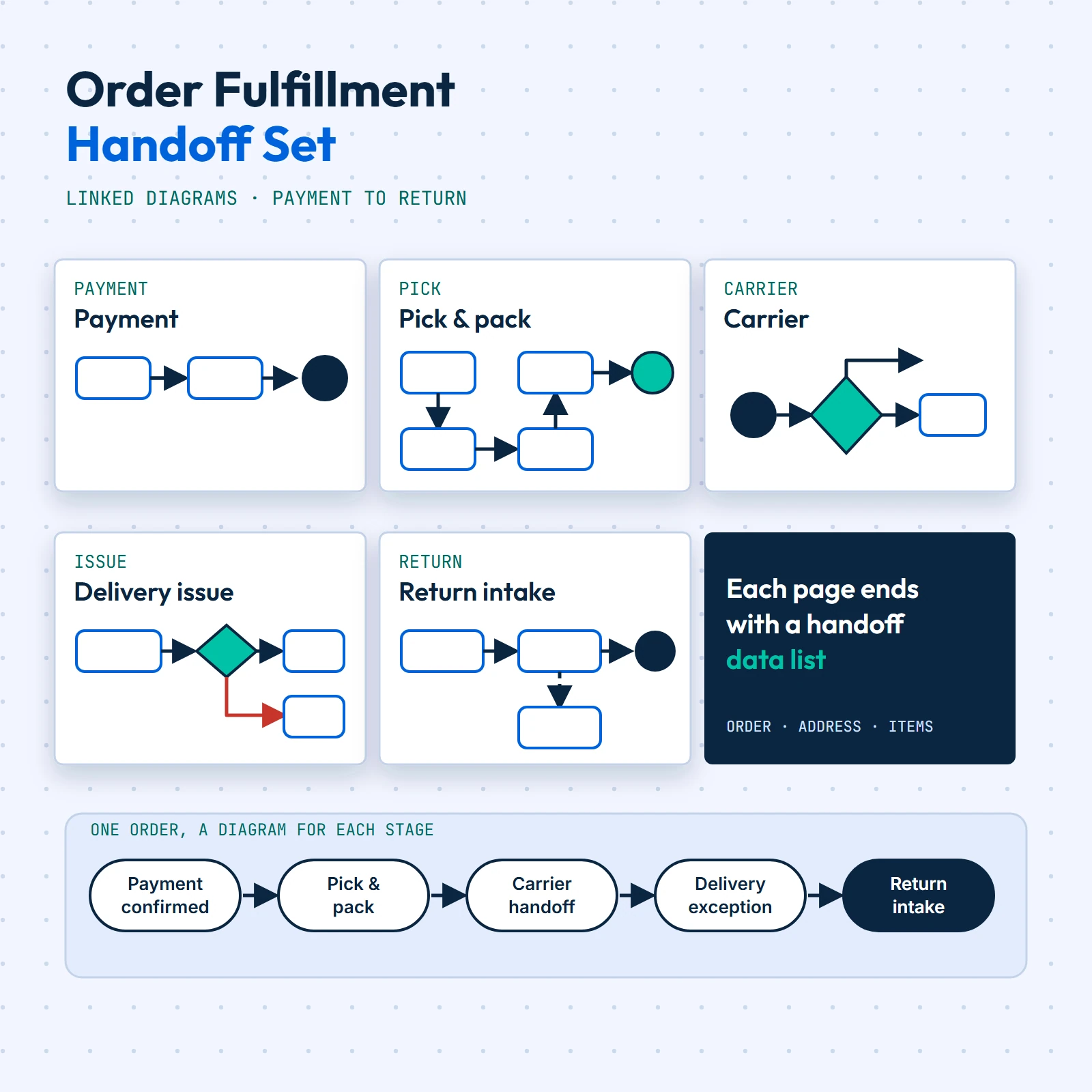
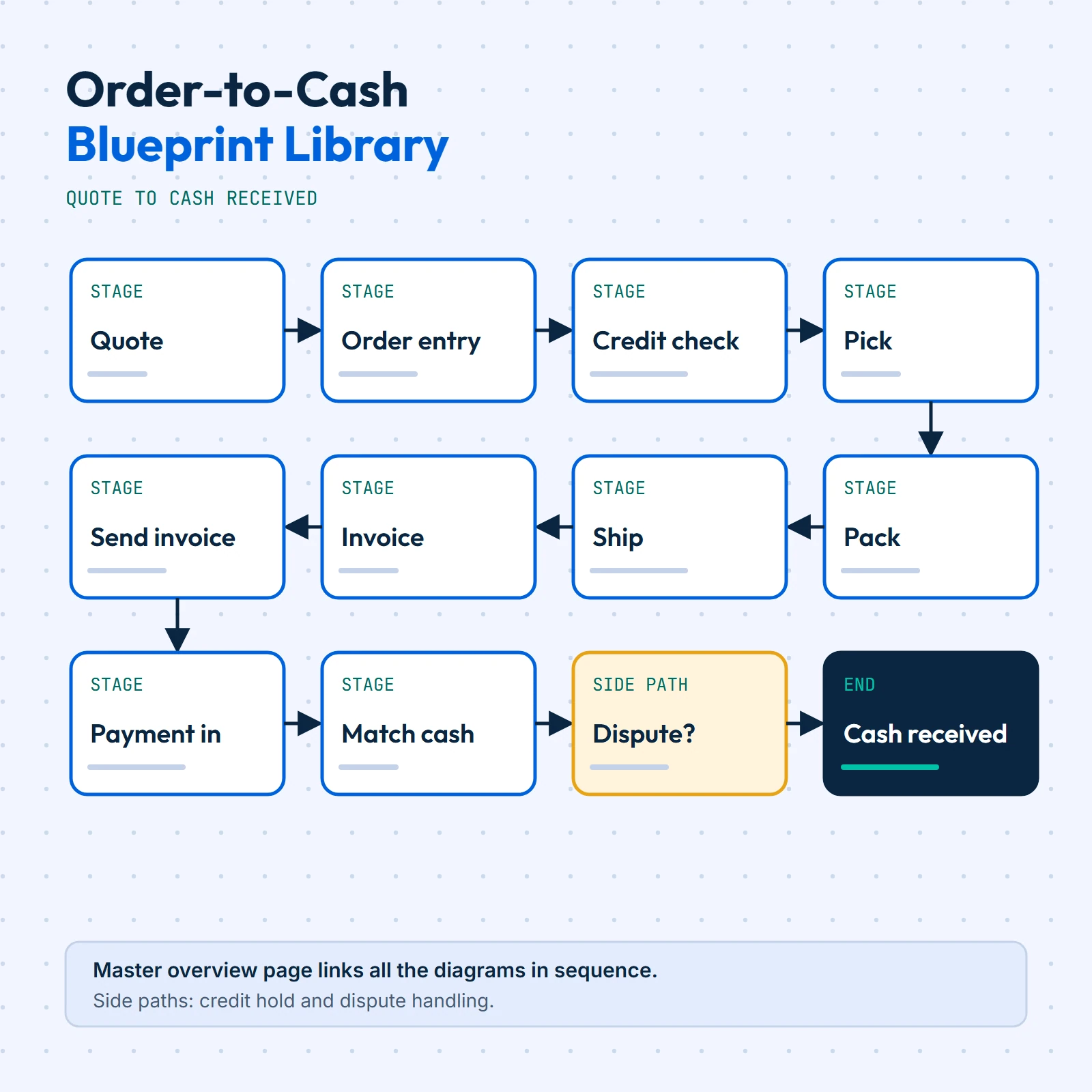
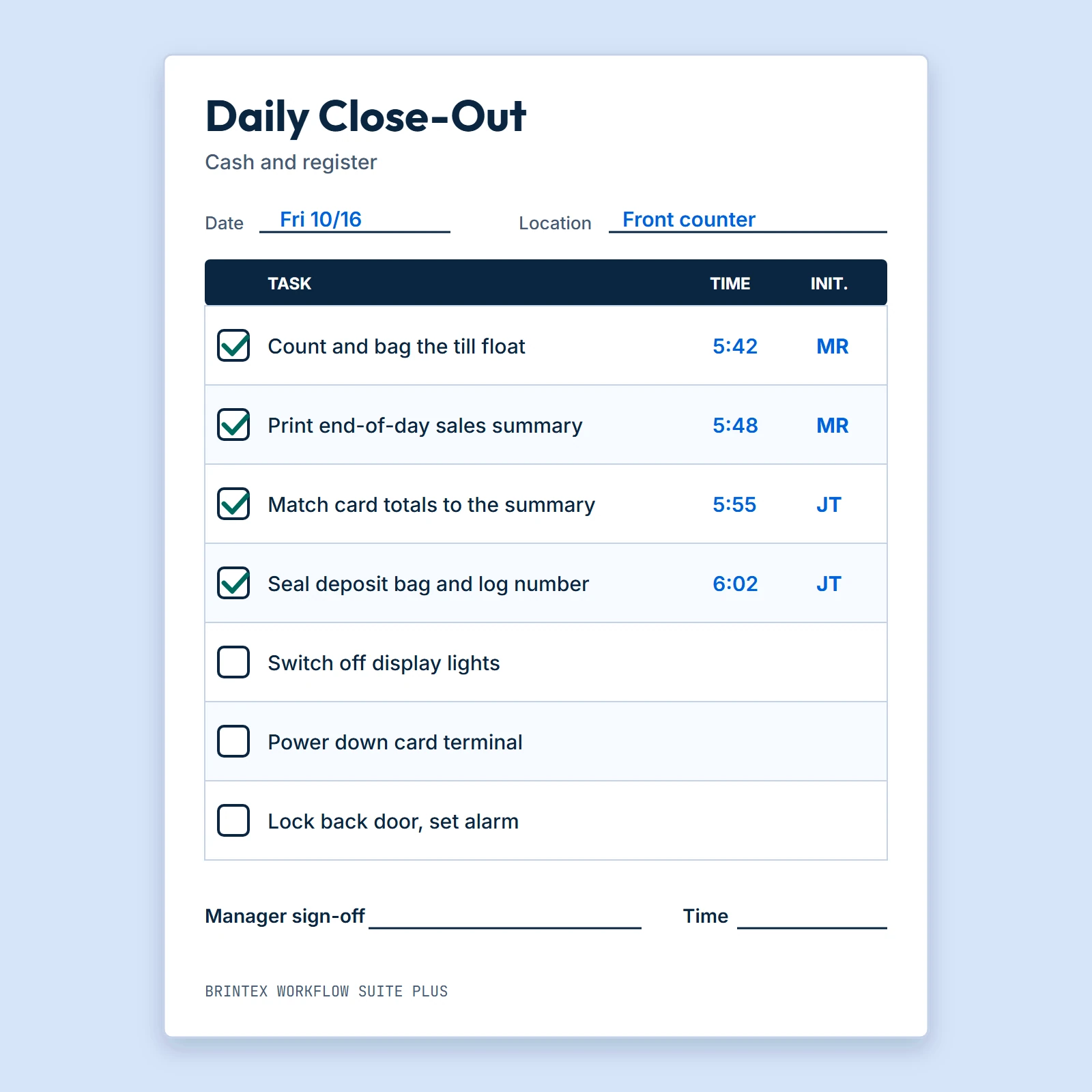
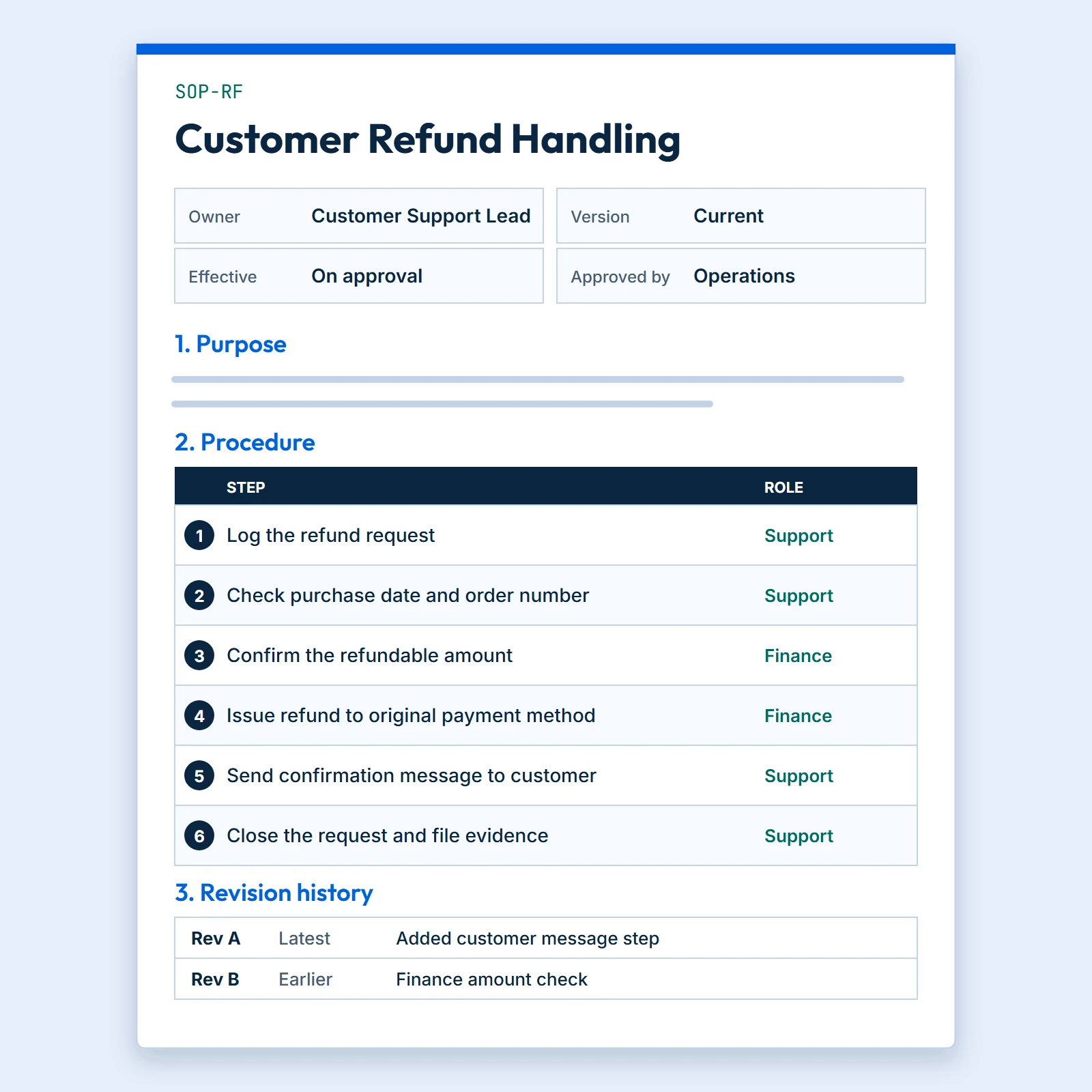
Three shelves
Pick the kind of document you need
- 1
Workflow blueprints
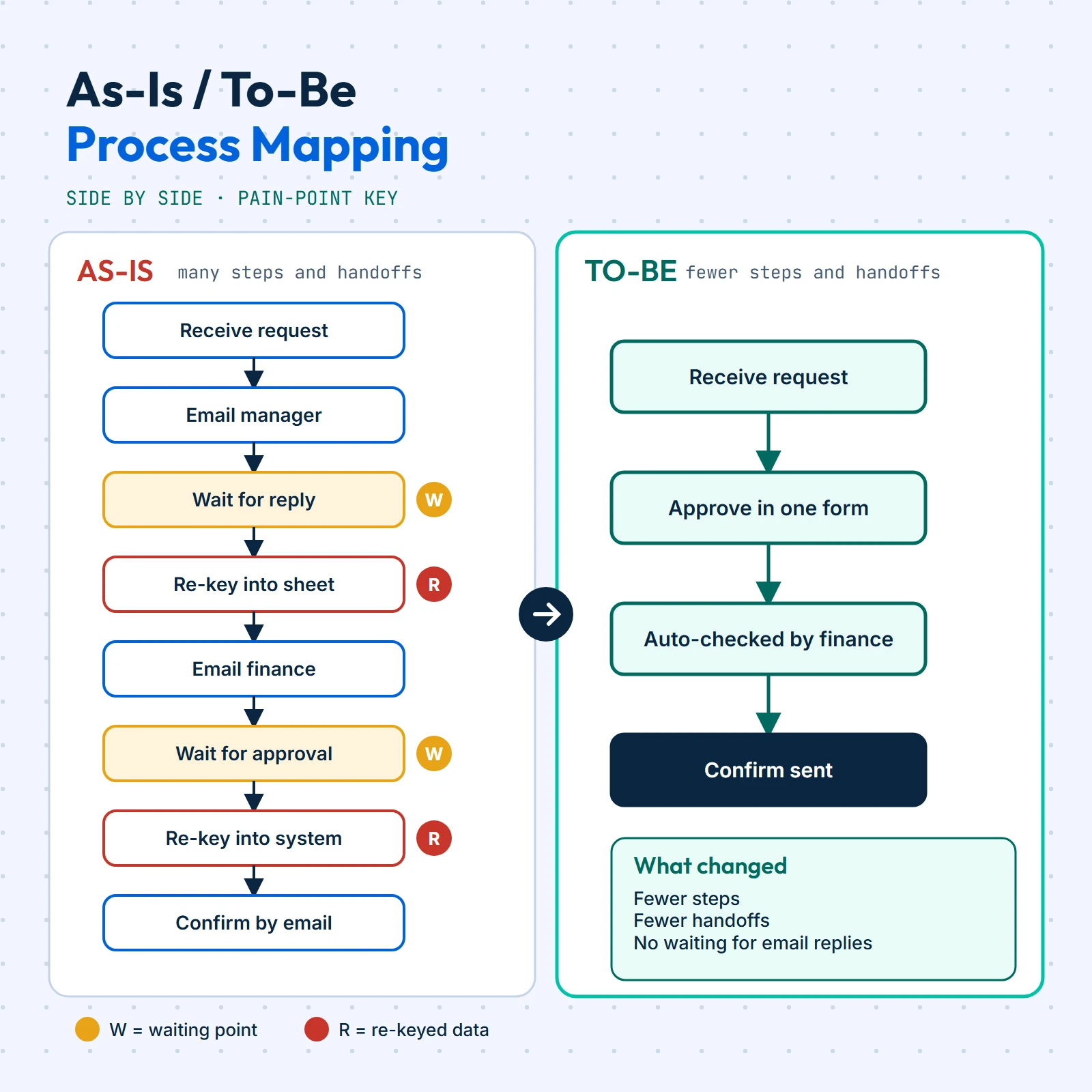
Finished, step-by-step workflow diagrams for common back-office routines, drawn as clean node-and-arrow charts you can print or edit.
6 documents
- 2
SOP & checklist packs
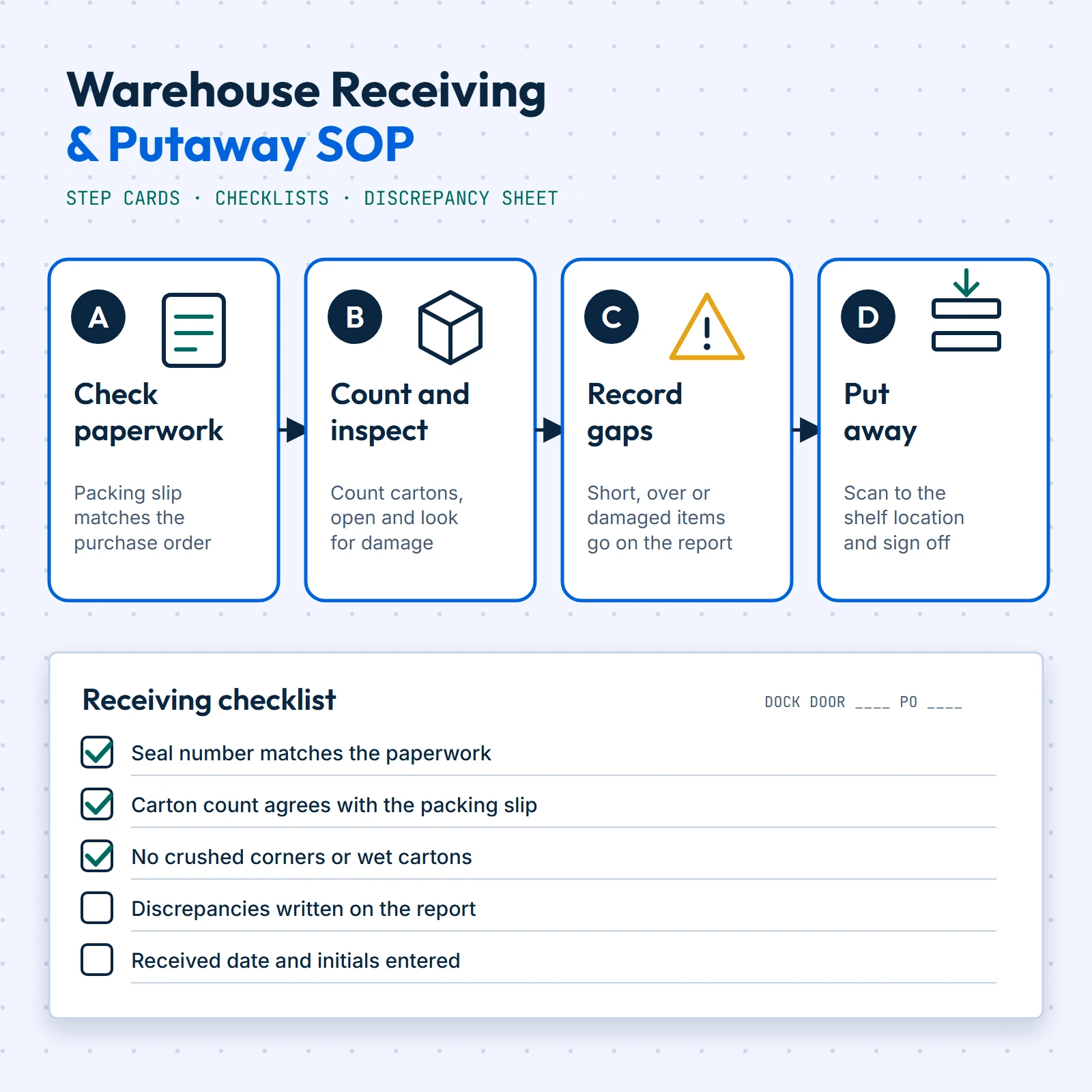
Written standard operating procedures and tick-box checklists with owner, time and sign-off fields, ready to fill in and hand to a team.
5 documents
- 3
Process-map templates
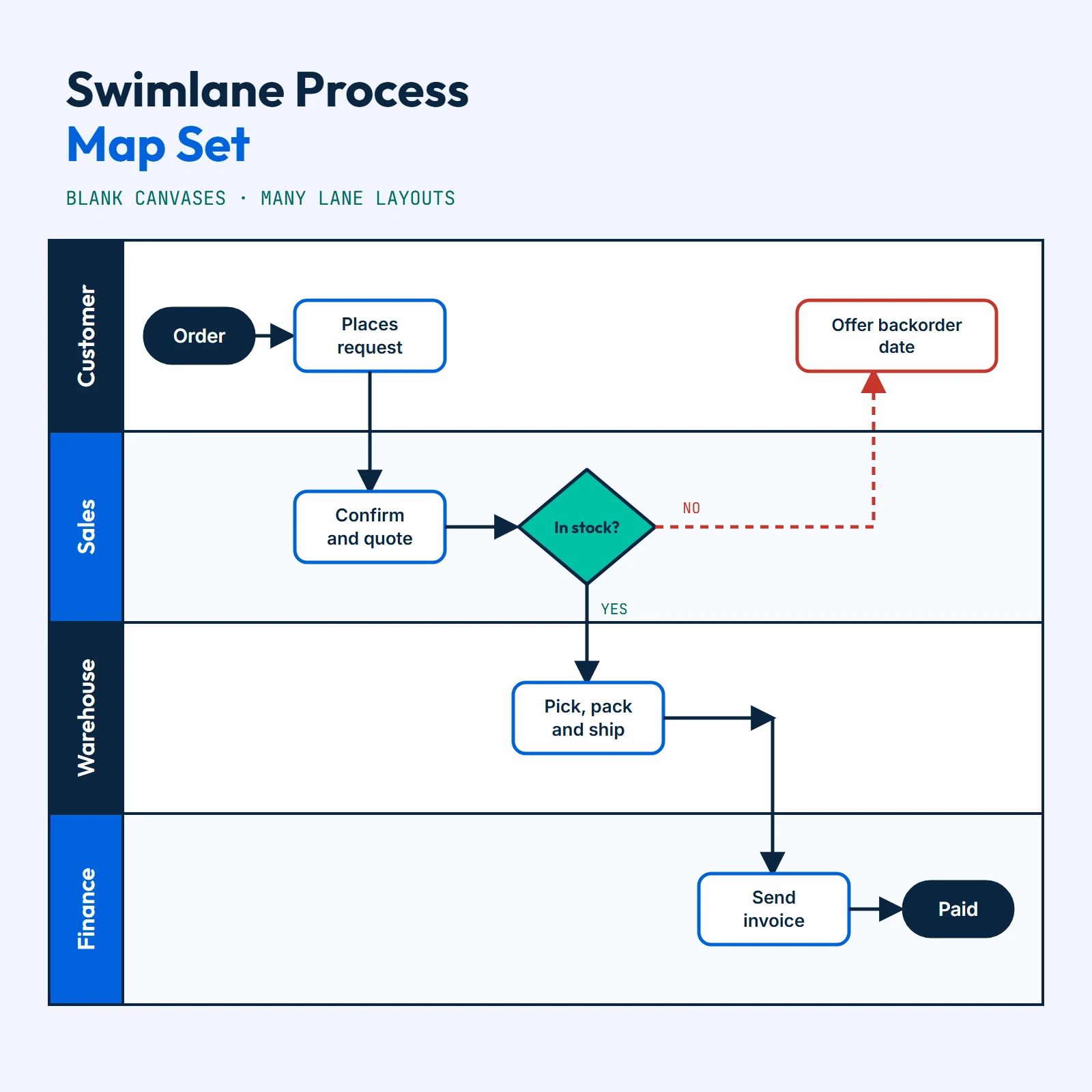
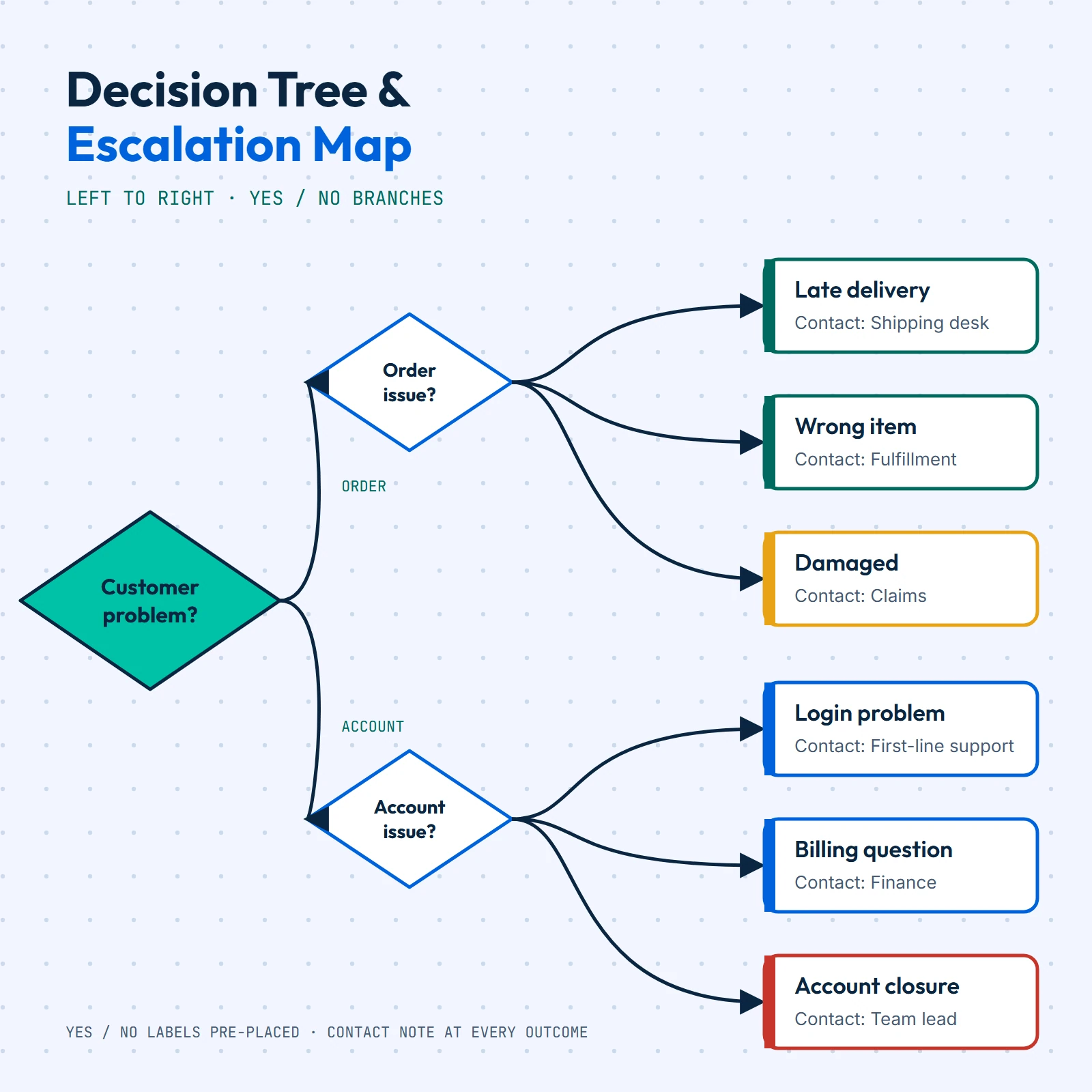
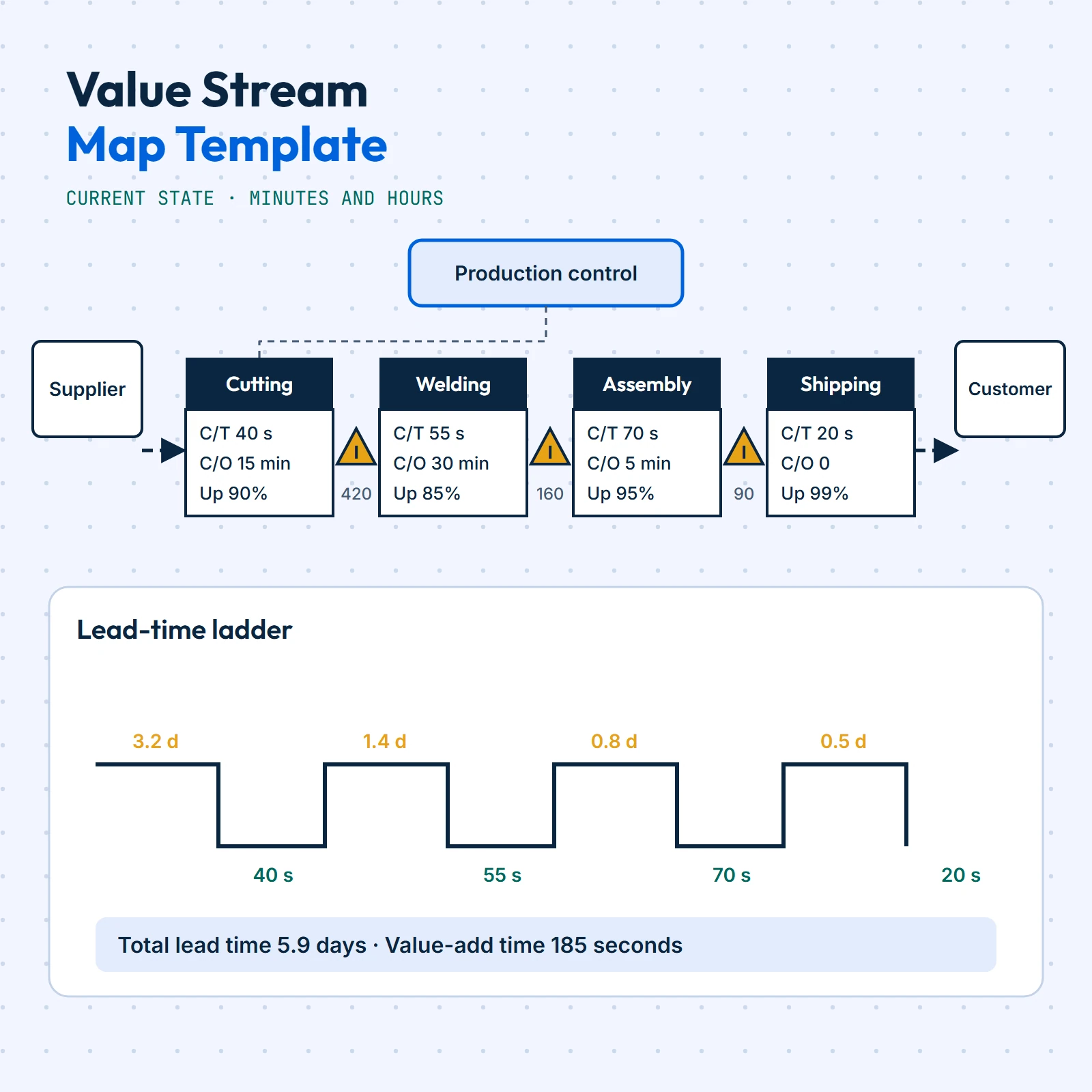
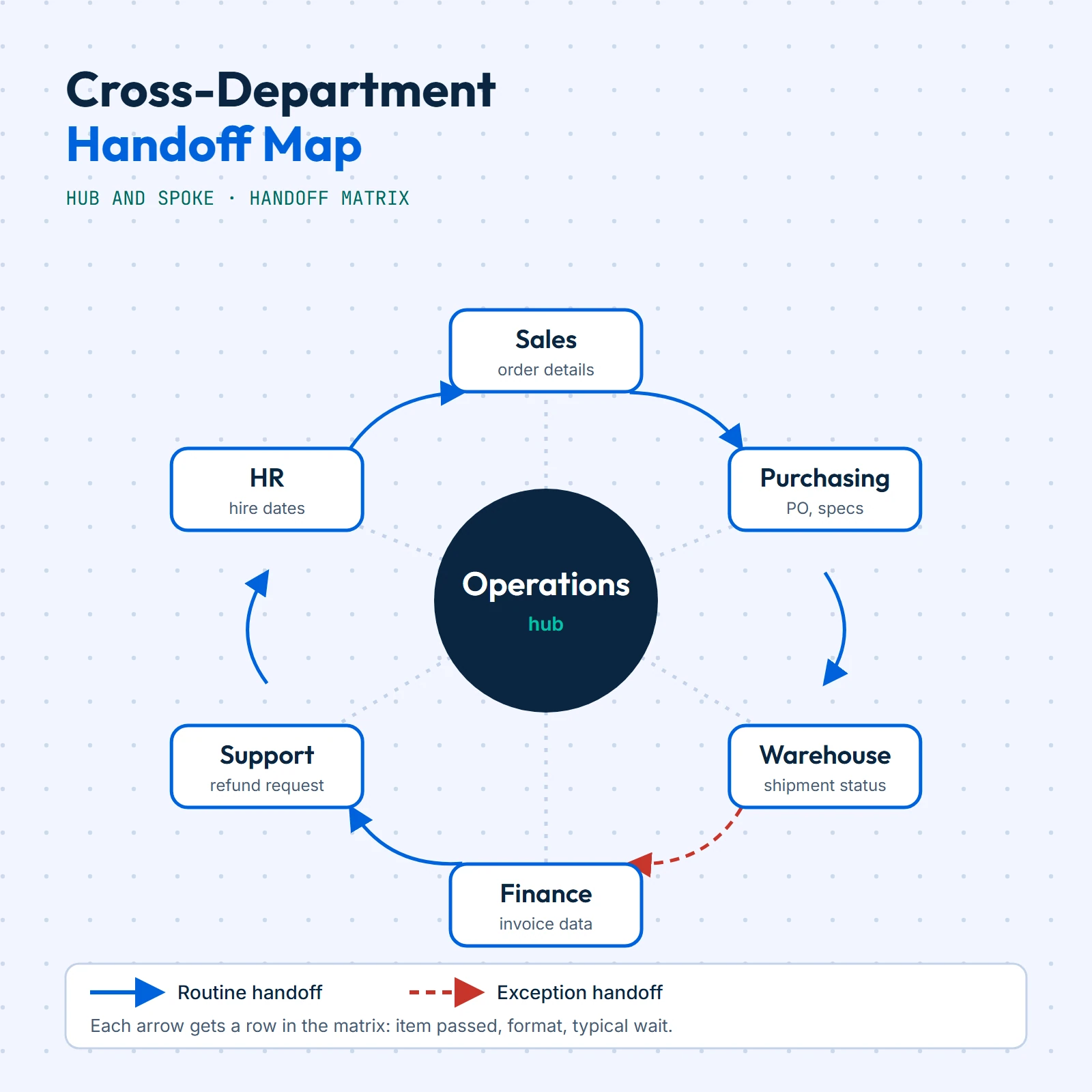
Blank and pre-structured mapping canvases (swimlanes, value streams, decision trees) for drawing how work really moves through your business.
5 documents
How it works
From pick to pinned in four steps
- 1
Pick the routine
Browse by the job you want documented: an approval, a handover, a close-out, a hand-off between teams.
- 2
Download once
Your files land in My Downloads after payment. One purchase, no sign-up for anything else, nothing renews.
- 3
Edit the wording
Change owners, amounts and step names in the editable files so the document matches how you work.
- 4
Print and pin
Print the pages on a standard office printer. Pin the diagram, hand out the checklist, file the procedure.
Featured documents
Start with one of these

Why we draw it
The routine lived in one person's head
Brintex Workflow Suite Plus began as a folder of diagrams. Someone had to explain how an invoice gets approved, how a refund is handled, or what happens when a delivery arrives short, and the answer was always a long email nobody could find later. We started drawing those routines as clear node-and-arrow charts and writing them up as short procedures.
We keep each product narrow on purpose. A single leave-request diagram is a single leave-request diagram, and a library is a library of connected diagrams. Product pages describe what each document covers and what it contains, so you know what you are getting before you pay.
Read our storyWhat the documents are
Documents you can print, fill in and reword
Printable pages
Pages laid out for a standard office printer, with black-and-white friendly versions.
Editable procedures
Written procedures and checklists with headings and tables you can reword.
Workflow diagrams
Node-and-arrow charts with named owners on every step.
Mapping canvases
Blank and pre-structured canvases for drawing how work really moves.
Fill-in fields
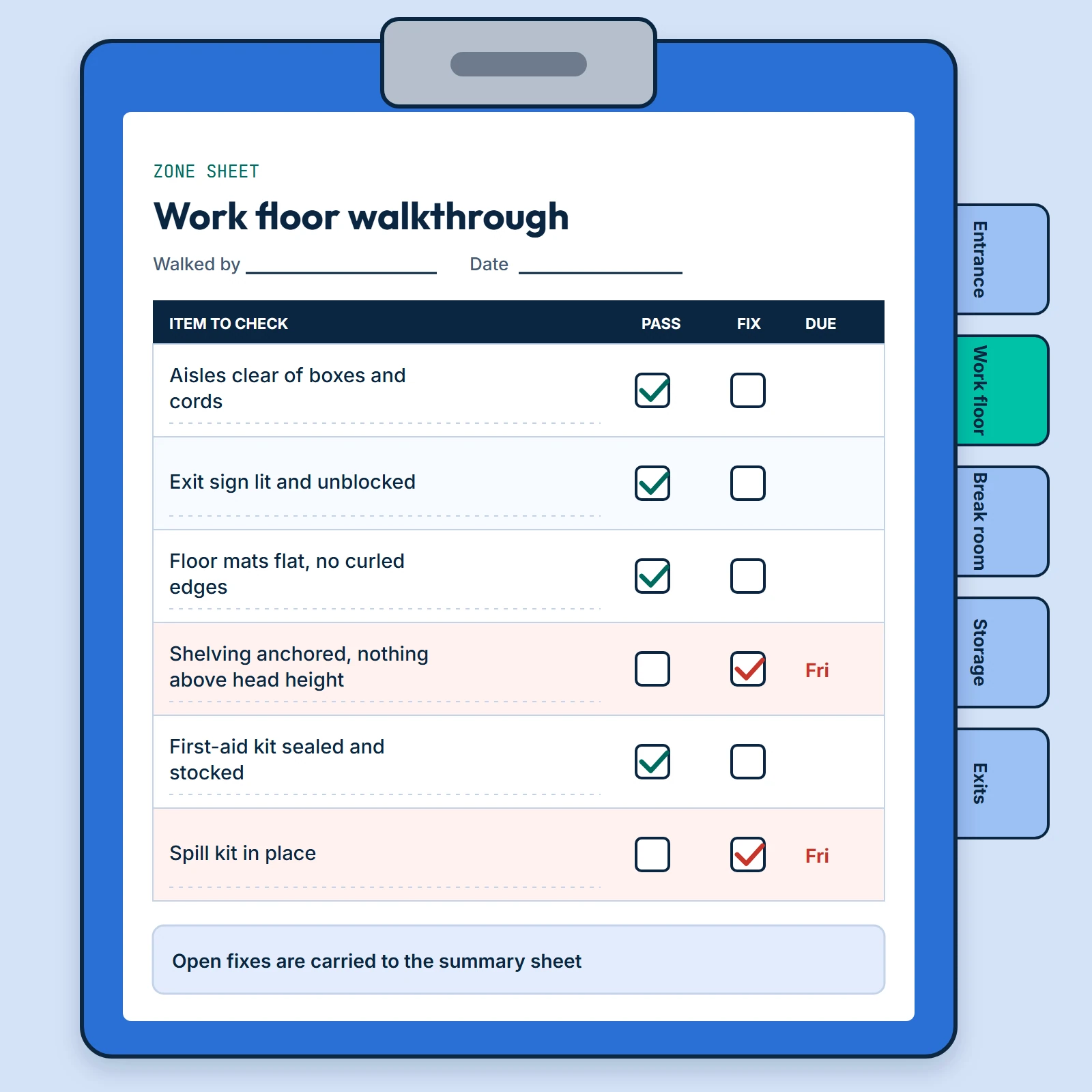
Tick boxes, owner fields and sign-off lines ready to complete by hand.
Each product page describes what is covered. These are documents, not programs: nothing connects to your systems.

Maps and procedures you can hold in your hands
Every product is made to be printed on a standard office printer.
See process-map templatesInside an SOP pack
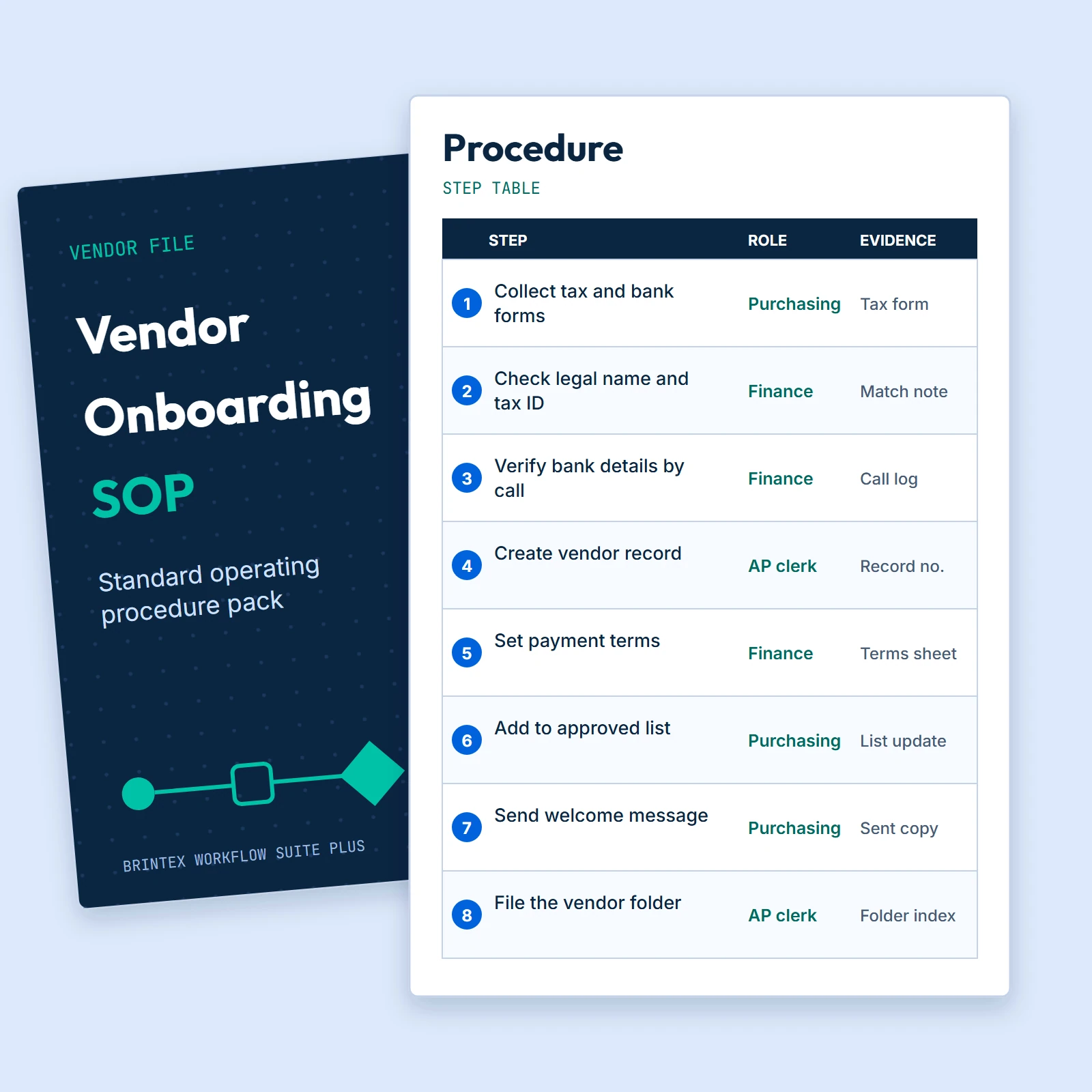
What a written procedure contains
- Header block
- Document number, owner, version and date, so nobody follows an old copy.
- Purpose and scope
- A few lines on why the routine exists and where it stops.
- Numbered steps
- Each step names the responsible role and the evidence to keep.
- Revision table
- A running record of what changed and who approved it.
How we build them
Six rules every document follows
01
Narrow on purpose
Each product documents one routine or one kind of map, and says exactly what is in it.
02
Plain symbols
Rounded ends for start and finish, boxes for steps, diamonds for decisions. Nothing to learn first.
03
Owner on every step
Diagrams and procedures name the role that acts, so work never lands on nobody.
04
Edit freely
Change any wording, amount or step. The files are built to be adapted.
05
Printable first
Every page is laid out for a standard office printer.
06
Plain descriptions
Product pages say what each document covers before you pay.
Where they get used
Built for the people who run the routine
Small finance teams
Approval paths for invoices and purchase requests, written down once.
Support desks
Escalation ladders and refund procedures that new starters can follow.
Warehouses and stockrooms
Receiving, putaway and walkthrough sheets for the dock and the floor.
Operations leads
Swimlane, value-stream and hand-off maps for workshops with the team.
Quick answers
Before you buy
What do the products look like?
They are documents: workflow diagrams, written procedures and checklists, and mapping canvases. Each product page describes what the document covers, and products with a ready download show a download button in My Downloads.
Do I need special software to open the files?
No. The documents are made to open in the tools you already have, such as a document reader, a word processor or a diagram editor.
Are these automation tools that run my workflows?
No. They are documents. A blueprint is a diagram that shows how a routine should flow, and an SOP pack is written procedure text. You print them, edit them and follow them; nothing connects to your systems.
Can I edit the files and use them inside my company?
Yes. You may edit the files and use them for your own business and team. You may not resell or redistribute the files themselves, alone or inside another product.
Not sure which document fits your routine?
Email support@brintexworkflowsuiteplus.com or call (833) 962-7778. We are available Monday–Friday 9:00 AM–5:00 PM MT.
Why shop with Brintex Workflow Suite Plus
Digital delivery
No shipping. Instant digital delivery after payment.
Refunds
Refunds are available within 30 days from the date of purchase. To request one, email support@brintexworkflowsuiteplus.com.
Cards accepted
Visa and Mastercard. Payment is a one-time payment, no subscription or recurring charges.
Clear billing
Charges appear as BrintexWorkflowSuitePl on your statement. Orders are limited to $500.00 per order.
Privacy
Personal information will not be shared with Third Parties.
Real people
Customer service Monday–Friday 9:00 AM–5:00 PM MT: (833) 962-7778 or support@brintexworkflowsuiteplus.com.
Questions first? Contact us or read the FAQ.